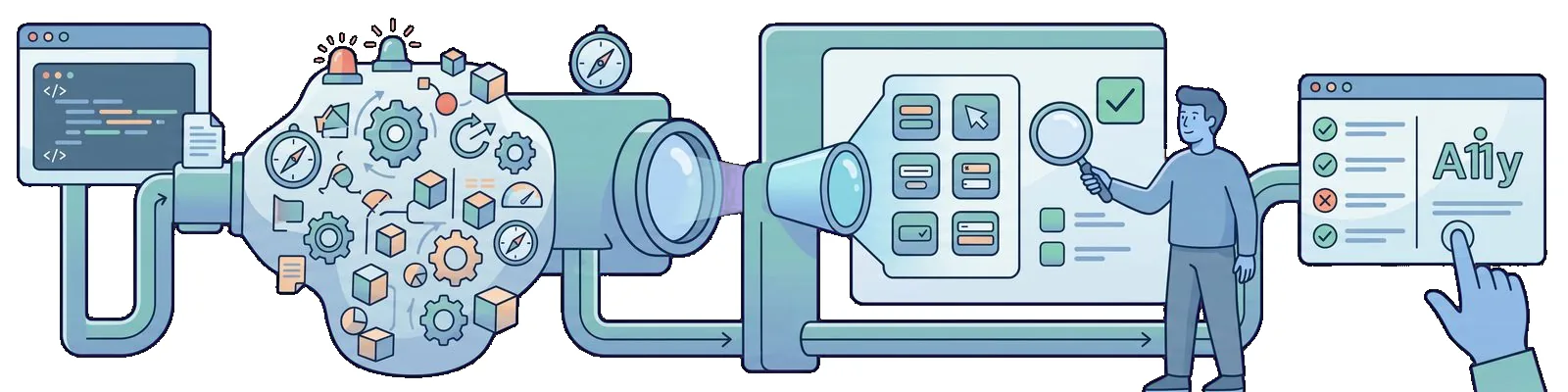
A pretty button, an empty tree
It is August 15. In November 2022 I compared visual regression tools and ended that post with a sentence I still stand by: visual regression answers only whether the screen looks the way it did yesterday. Since then, toHaveScreenshot has been running in my nightly suite and doing exactly what it promised.
That run is green on a synthetic login form from my repository of blog examples. The button that submits the form is a round arrow icon. It is where it should be, and in the screenshot it looks exactly like the reference. Yet that button has no name in the accessibility tree. A screen reader will say “button” and nothing more, so someone who cannot see the arrow has to guess whether it means sign in or close the window. The word “Password” is above the password field, but it is just a span with no connection to the field. Neither problem is visible on the screen, and the PNG reference cannot notice them because a missing name does not change a single pixel.
In August, I am therefore adding an automated a11y check to the same Playwright suite. I am not hiring an auditor or starting a separate project. I am adding a few lines to the spec that already exercises the login path.
My thesis for August 2024 is narrow, and I will stick to it all the way through. Automated a11y in Playwright means two inexpensive signals on the same page load. The first is the axe-core rule catalog, meaning AxeBuilder and its analyze(). The second is a hard assertion on one control’s name and role, meaning toHaveAccessibleName and toHaveRole. Neither replaces a screen reader or a WCAG audit. Neither is the visual regression testing from November 2022: pixels and the accessibility tree catch different regressions, as I will show on one form.
Here is the state of the toolchain, so that a year from now it is clear what I mean. The runner is @playwright/test version 1.46.0, released on August 5. That release adds nothing to accessibility: it brings TLS client certificates, the --only-changed flag, and changes to UI Mode. I pin it because it is the current release, not because I need anything from it for a11y. The assertions this post relies on, namely toHaveAccessibleName, toHaveAccessibleDescription, and toHaveRole, have been in the runner since 1.44.0, released on May 6. The scanner is @axe-core/playwright version 4.9.1, released on May 20. The package keeps axe-core in the ~4.9.1 range, so my rule engine is also at 4.9.1. WCAG 2.2 has been a W3C Recommendation since October 5, 2023, and in this post it is a map, not a certificate I issue to myself after a green job.
What will not be here: an auditor course or a list of success criteria copied from the standard. There will be no results from real audits or screenshots of production forms, because a client’s login form is data, not an illustration for a blog. There will also be no language model that “fixes a11y.” GPT-4o mini has been available since July 18, but what a button should be called is a product decision, not a fix to generate. There will be a synthetic form with two deliberate errors, AxeBuilder and two assertions in one test, two refactors where axe stays silent but the assertions do not, and three false certainties to cross out.
Two signals, not one scanner
The demo is synthetic, and I am saying so explicitly before showing the listing. The page consists of a <main> with an h1 heading and this form:
<form id="login">
  <label for="email">E-mail</label>
  <input id="email" type="email" data-testid="login-email">

  <span class="field-label">Password</span>
  <input id="password" type="password" data-testid="login-password">

  <button type="submit" class="icon-btn" data-testid="login-submit">
    <svg aria-hidden="true" viewBox="0 0 24 24"><path d="M10 17l5-5-5-5z"/></svg>
  </button>
</form>
There are two errors, and I introduced both deliberately. The first is a span instead of a label: the word “Password” is above the field, but nothing connects it to that field. The second is an icon-only button. The SVG has aria-hidden="true", as a decorative icon should, so the button gets no name from either its content or an attribute.
The first signal is the catalog. When analyze() runs, AxeBuilder injects axe-core into the page and runs its rules against the DOM currently rendered. I narrow them with withTags(['wcag2a', 'wcag2aa', 'wcag21aa']) to rules mapped to WCAG 2.0 success criteria at levels A and AA and WCAG 2.1 criteria at level AA. The example in the Playwright documentation adds a fourth tag, wcag21a. I checked what difference that makes with engine 4.9.1: there is one rule under that tag, marked experimental, and both variants run the same 62 rules on my form.
On the broken form, the catalog reports violations of two rules: button-name and label. Both have an impact of critical, and both map to criterion 4.1.2, Name, Role, Value. This is what the catalog does best. It knows the “button without a recognizable name” pattern and the “form field without a label” pattern, and it finds them across the entire page, not only where I happen to look.
The second signal pins down one control. The catalog does not know what my button should be called. It only knows that some name should exist. I have that knowledge, so I record it in two assertions: toHaveRole('button') and toHaveAccessibleName('Sign in').
The locator deliberately uses data-testid, not a role. In May 2022, when I set up an empty project, I left role locators for later. getByRole has been available since version 1.27, and I use it every day now, just not here. getByRole('button', { name: 'Sign in' }) already filters by name, so when the name is missing, the locator finds nothing and the assertion ends with <element(s) not found>. That is also a failed result, but it says “there is no element,” not “the element exists but has no name.” A test id is a contract with a developer, while an accessible name is a contract with a user, and I keep them separate so the assertion has something to inspect. The 1.44.0 release notes show toHaveRole in the same arrangement, on getByTestId.
Put together in one test, it looks like this:
import { test, expect } from '@playwright/test'
import AxeBuilder from '@axe-core/playwright'

test('login: a11y smoke', { tag: ['@smoke', '@a11y'] }, async ({ page }) => {
  await page.goto('/login/')

  const { violations } = await new AxeBuilder({ page })
    .withTags(['wcag2a', 'wcag2aa', 'wcag21aa'])
    .analyze()
  const blocking = violations.filter(v => v.impact === 'serious' || v.impact === 'critical')
  expect.soft(blocking.map(v => v.id)).toEqual([])

  const submit = page.getByTestId('login-submit')
  await expect(submit).toHaveRole('button')
  await expect(submit).toHaveAccessibleName('Sign in')
})
Two details in this listing are not decorative. expect.soft around the catalog means that a failed axe result does not stop the test, so one run shows both signals rather than only the first. Filtering by impact is a decision about the gate, and I will return to it in the next section. On the broken form, the result looks like this (I shortened the call log, where the same pair of lines repeats on every retry):
  1) [chromium] › login.a11y.spec.ts:4:5 › login: a11y smoke

    Error: expect(received).toEqual(expected) // deep equality

    - Expected  - 1
    + Received  + 4

    - Array []
    + Array [
    +   "button-name",
    +   "label",
    + ]

    Error: Timed out 5000ms waiting for expect(locator).toHaveAccessibleName(expected)

    Locator: getByTestId('login-submit')
    Expected string: "Sign in"
    Received string: ""
    Call log:
      - expect.toHaveAccessibleName with timeout 5000ms
      - waiting for getByTestId('login-submit')
      -   locator resolved to <button type="submit" class="icon-btn" data-testid="login-submit">…</button>
      -   unexpected value ""
toHaveRole('button') passed because the element is a real <button>. The name failed: I expected “Sign in” and received an empty string.
The fix fits in two lines. The button gets aria-label="Sign in", and the span above the password changes to <label for="password">. After that change, both signals fall silent. The entire test against a local server takes 382 milliseconds, while analyze() itself takes between 190 and 310.
Why both layers. A control can pass axe and still lose the correct label or role. I checked this with two refactors of the fixed form, one for each assertion.
The first refactor is copy and paste. Someone moves the icon from a dialog and brings aria-label="Close" with it. As far as axe is concerned, the case is closed: the button has a name, button-name passes, and violations is empty both with the tags and in the default run. The assertion fails immediately:
    Locator: getByTestId('login-submit')
    Expected string: "Sign in"
    Received string: "Close"
The second refactor replaces the button with a div. Someone wants full control over the styling and changes the <button> to a div with the text “Sign in” and an onclick handler. The text is visible on screen, a mouse click works, and again axe has nothing to report: it cannot see event handlers, and the text in a div is ordinary text to it. The element cannot be reached from the keyboard because a div does not receive focus. toHaveRole fails:
    Locator: getByTestId('login-submit')
    Expected string: "button"
    Received string: ""
To be fair, axe is not blind here as a matter of principle. If the same div keeps the aria-label, axe 4.9.1 puts aria-prohibited-attr, with an impact of serious, into incomplete, because the element has text to read. It reports this as a violation only for an icon-only div. The pull request gate looks only at violations, so the variant with text will not show up until the nightly report with incomplete. The catalog catches everything that can be expressed as a rule. The sentence “this icon should be called Sign in” is not a rule but a requirement, which is why it lives in an assertion.
Where it belongs in CI
I decided where this test belongs before I even thought about it. In September 2022 I divided CI into three buckets: pull request, main after merge, and the nightly schedule. Only fast, deterministic checks belong on a pull request, plus one UI smoke test with its own state, because a required check should be small and stable. An a11y smoke test meets that condition better than most browser tests: it reads the DOM instead of comparing pixels, and on the login form it costs a fraction of a second. I therefore attach it to that one smoke test on the login path, not to the entire application. That is why the test has the @smoke tag next to @a11y: the pull request job runs npx playwright test --project=chromium --grep @smoke and picks up the a11y smoke with the rest.
The gate has two levels. The first is tags. The default run executes 88 rules on this form, while the run with my three tags executes 62. The difference comes mainly from rules tagged best-practice that are not mapped to any WCAG criterion: landmarks, heading order, region, and tabindex. The second level is impact. The axe scale has four levels, minor, moderate, serious, and critical; there is no HIGH level. On a pull request, only the two highest levels turn the job red.
Why not run everything on every push when it is inexpensive? Because attention, not time, is the cost. The same broken form without <main> and without h1 produces three additional violations in the default run: landmark-one-main, page-has-heading-one, and region, all moderate and all best-practice. These are real findings and worth fixing. They are not, however, a reason to block someone’s pull request with a typo in the README. A job that stays red because of a rule nobody will fix in the current sprint teaches the team that the gate’s result is optional. In September 2022, I wrote that from then on the gate no longer protects against anything.
The fuller scan goes into the nightly bucket. There, axe runs without tags and in two projects, light and dark, because a theme is a separate render, as the next section will show:
// playwright.config.ts, excerpt
projects: [
  { name: 'chromium', use: { ...devices['Desktop Chrome'] } },
  {
    name: 'chromium-dark',
    use: { ...devices['Desktop Chrome'], colorScheme: 'dark' },
    grep: /@a11y/,
  },
],
The pull request job runs only the chromium project, so the dark theme runs only at night. The nightly gate is the same, serious and critical, but the full result, including incomplete, goes into the report through testInfo.attach, as shown in the Playwright documentation:
test('nightly a11y scan', { tag: '@a11y' }, async ({ page }, testInfo) => {
  await page.goto('/login/')
  const results = await new AxeBuilder({ page }).analyze()

  await testInfo.attach('axe-results', {
    body: JSON.stringify({ violations: results.violations, incomplete: results.incomplete }, null, 2),
    contentType: 'application/json',
  })

  const blocking = results.violations.filter(v => v.impact === 'serious' || v.impact === 'critical')
  expect(blocking.map(v => v.id)).toEqual([])
})
My demo has one screen. In a larger application, the same test loops over a few key screens, not all of them. The owner of the nightly run reads the report in the morning. Two years ago I wrote that without a name in the calendar, this bucket dies within three weeks, and an a11y smoke test changes nothing about that.
I disable known problems that I cannot fix immediately one at a time, not with a threshold. exclude() removes an element and its entire subtree from the scan and from all rules at once, so I use it only for small, named elements. For a single rule, there is disableRules(). Every such exclusion gets an issue number in a comment. Lowering the gate to critical only for the entire application because one widget has a problem is the same move as adding retries to a flaky test: the result turns green, while the problem disappears only from the report.
One more note about the new feature in 1.46.0. According to the documentation, the --only-changed flag runs only those test files that have changed relative to a specified commit. It is unsuitable for an a11y smoke test. An accessibility regression arrives in the application’s markup, and a change to a button template does not change the e2e spec, so the test meant to catch it would never run.
What automation does not see
In 2019, when I described the testing process I wanted to build, I wrote that we leave repetitive work to robots so people can focus on what they do best. In accessibility, that boundary is especially sharp. An axe scan and two assertions are repetitive work. Assessing whether someone can complete and understand a form is not. The Playwright documentation says this explicitly on its accessibility testing page: automated tests detect some common problems, while many others can only be found manually.
On the same form, I checked four situations where the test is green but there is still a problem.
Focus order. I reversed the order of the form elements with one declaration, flex-direction: column-reverse. The button is now at the top of the screen and the e-mail field at the bottom, but Tab still follows DOM order: e-mail, password, button, which means from bottom to top. The scan reports nothing even in the default run, and both assertions pass because the name and role have not changed. Keyboard navigation can be recorded in a test with press('Tab') and toBeFocused(), but the expected order still has to be entered by a person who understands how the form should be read.
The meaning of the label. Axe rules check whether a name exists, not whether it is true. The variant with “Close” passed the catalog without a word. The assertion caught it only because I entered “Sign in” there, and that “Sign in” is also my decision, not the tool’s.
Contrast in a specific theme. I added a dark theme under prefers-color-scheme: dark, with #4a4a4a text on a #1e1e1e background. Axe is green in the regular light run because it never saw the dark theme: it checks what is rendered at the moment analyze() runs. Only with colorScheme: 'dark' does it report color-contrast with an impact of serious. The heading has a contrast ratio of 1.88 there, against the required 3:1 for large text.
Contrast that axe cannot calculate. A short message on a gradient goes into incomplete, not violations, meaning it is on the list of items for manual review. A test that looks only at violations is green in that case, and nobody will learn about this list unless it reaches the report.
The screen reader and the human stay. Before a release, I go through the critical path once with only a keyboard and once with a screen reader. This is not an audit, and I do not pretend it is. It is the minimum without which a green smoke test tells me nothing about whether someone can sign in.
Three false certainties from this week, all to be crossed out.
First: “WCAG AA passed.” Empty violations with the three tags means 62 rules at one URL, in one theme, and at one viewport size. The rules run with those tags touch 20 of the 55 WCAG 2.2 success criteria at levels A and AA, and usually only partially: image-alt checks whether an image has alternative text, not whether that text means anything. Of the nine criteria added by WCAG 2.2, axe 4.9.1 has a rule for one, target-size, and it runs neither by default nor with my tags; it has to be requested with the wcag22aa tag. WCAG conformance applies to entire pages and complete processes, against all criteria at a selected level. One green job establishes neither conformance nor any declaration that could be shown to someone.
Second: “empty violations means clean contrast.” The gradient ended up in incomplete, and axe never saw the dark theme at all. In both cases, violations was empty. That is why the nightly run has a project with colorScheme: 'dark' and adds incomplete to the report, and why I do not write “contrast OK” in an issue based on an empty array.
Third: “there is a name, so there is a label.” I removed the <label> above the password and left placeholder="Password". The label rule passes such a field because axe counts a placeholder as a name. Playwright calculates the name the same way, so even toHaveAccessibleName('Password') on that field would be green. A screen reader has something to read, but a sighted user loses the only label after typing the first character. When the placeholder contains a hint instead of a name, such as “Min. 12 characters,” Playwright returns that text as the field’s name, and axe remains silent. An assertion on the field would catch the difference in that case. My assertions pin down the button, not the field, so they catch nothing. Pinning protects only what I pinned.
The contrast with visual testing
Visual testing catches layout. A11y catches the name, role, and label. On this form, I can demonstrate that without a single sentence of theory.
I took screenshots of three versions: broken, fixed, and the one with “Close.” All three PNG files are byte-for-byte identical. toHaveScreenshot would not find any difference here because aria-label and changing a span to a label do not alter a single pixel. The visual reference notices neither the bug, the fix, nor the regression.
The reverse works the same way. I moved the button 96 pixels to the right. The screenshot differs from the reference, so the visual gate does its job. The axe scan is green and both assertions pass because the button is still a button and is still called “Sign in.” Both failed results are correct, and each comes from a different tool.
That is why I do not merge them into one “UI quality” job. They belong to different buckets: visual regression has run nightly for me since November 2022 because its result depends on the machine that rendered it, while the a11y smoke test runs on a pull request because it does not compare pixels with a reference and different font smoothing between a laptop and an agent does not change its result. They have different acceptance paths: I accept a visual change with a new reference and a commit, while in a11y there is no reference to overwrite, only markup to fix or an explicit exclusion with an issue number. They also have different histories of failures. If they shared one job, the a11y smoke test would inherit the reputation of the nightly visual test: red, probably fonts again, retry it. In September 2022, I described that reflex, a retry without reading the log, as the moment a gate becomes a formality.
I am leaving the Cypress plugin from March 2020 to one side in this discussion. It was visual regression in another runner, with a PNG reference and image comparison, meaning the same axis as toHaveScreenshot, not the accessibility-tree axis. In the 2022 summary, visual testing got its own section, while a11y did not get a single sentence. August 2024 makes up for that, but not at the expense of pixels: I am adding the tree, not deleting the references.
Summary
In August 2024, inexpensive automated a11y means AxeBuilder with @axe-core/playwright 4.9.1 and two assertions from 1.44 on one control, in one test on Playwright 1.46.0, on the same page load. It also means going through the critical path with a keyboard and a screen reader. Green axe results do not close an accessibility issue.
Three sentences I want to be able to read a year from now. On a synthetic form, axe reported button-name and label, both critical, while toHaveAccessibleName received an empty string instead of “Sign in,” all in one run thanks to expect.soft. In the refactors with aria-label="Close" and a div instead of a button, axe stayed silent, while toHaveAccessibleName and toHaveRole failed respectively. Screenshots of the broken and fixed forms are byte-for-byte identical, so the visual reference sees none of these changes.
What this does not mean: that I have a WCAG 2.2 certificate or anything that can be presented as a declaration of conformance. It does not mean I am deleting visual regression testing, because only that test sees a shifted button. Nor does it mean that assertions replace the catalog: only axe caught the password field without a <label>, because I had no assertion on that field.
This is how I define the condition that will tell me this automation has matured in my work. For a month, the nightly report with incomplete and the dark theme has an owner who reads it. Every rule exclusion has an issue number and a date when it returns to the scan. And no accessibility issue is closed solely because the violations array was empty.