After the April decision
In April, I explained why I was starting to move away from Cypress. I had three reasons, and I still stand by them: I want to run the same code on three browser engines, I want a runner that handles parallelism and retries itself, and I want an artifact from a failed run that I can open the next day without guessing.
A month later, I have exactly zero lines of code to show for it. A decision is not a migration. Cypress 9.6.1, released on May 9, still runs everything it ran for me in March, and none of it is going away this month. This post is about something narrower: an empty directory that, after an hour, should contain a playwright.config.ts, one meaningful .spec.ts file, and a command that runs it.
I am deliberately writing this as a scaffolding post, not as “how I rewrote the suite.” Rewriting tests starts with decisions I have not made yet: whether to keep the page objects I compared with app actions earlier in the Cypress series, whether to switch to Playwright fixtures, how login should work, and where to keep the data. I do not want to make any of those decisions in the same week that I run the test runner for the first time. First, something trivial should be green. Architecture comes later.
One point is worth keeping in mind throughout this post: Playwright is not new this month. Version 1.0.0 was released in May 2020, the @playwright/test runner arrived in 1.12.0 in June 2021, and Trace Viewer came with it. I am two years late, not early.
Node and pinning the package
I start with Node because it is the one thing that is easy to get wrong before the first command. I am on Node 16 LTS (16.15.0). Node 18 has been the Current release line since April 19, but it does not have LTS status yet, and I am not using it for a project I want to return to in CI. Playwright 1.22 still officially supports Node 12, which only confirms that 16 is the safe middle ground here.
The project generator has been included in the package since 1.18.0 in January:
$ npm init playwright@latestThe generator asks a few questions and produces a ready-made scaffold with a config, an example test, and browsers. I am not reproducing its prompts one by one because they change from version to version, and this list would be wrong in a year. I run it once to see what it considers the defaults, then immediately do something I consider more important than the generator itself: pin the version. @latest is fine in the initialization command. A ^ in package.json is not fine for a tool that changes browser behavior every three weeks.
After cleanup, my package.json looks like this:
{
  "name": "playwright-scaffold",
  "private": true,
  "engines": {
    "node": ">=16"
  },
  "scripts": {
    "test": "playwright test",
    "test:headed": "playwright test --headed",
    "report": "playwright show-report"
  },
  "devDependencies": {
    "@playwright/test": "1.22.0"
  }
}
The version has no caret, deliberately. 1.22.0 was released on May 12, three days ago, and it is the only version on which I checked anything in this post. When 1.22.1 or 1.23 arrives, I want to upgrade in a separate commit and run the tests separately, not learn about the change from a red build on Friday.
It is also worth noting what is missing here. There is no typescript package, even though the config and tests are written in TypeScript. @playwright/test transpiles .ts files itself and needs nothing else to run tests. At the same time, this means the runner does not check types, but merely strips them. If I want actual type checking, I need to add typescript separately and run tsc --noEmit as a separate step. I will skip it for an empty project with one test, but I am recording it as technical debt.
After installing the package, I still need to download the browsers themselves:
$ npm install
$ npx playwright install
This downloads the versions of Chromium, Firefox, and WebKit bundled with 1.22.0: Chromium 102.0.5005.40, Firefox 99.0.1, and WebKit 15.4. These are not the browsers installed on the system, and that is a feature, not a drawback: my run and the run on an agent use the same engine because the engine comes with the package. On a clean Linux machine, I will also need npx playwright install --with-deps to install the system libraries. I am writing that command down now because I will need it when I finally touch the pipeline.
playwright.config.ts
The config is the heart of this setup and the biggest difference from what I remember about my first tests in Cypress. There, the configuration was a short JSON file, while most decisions were made in the test code. Here, the configuration file controls parallelism, retries, artifacts, and the browser matrix, so the test can remain simple.
In 1.22, a typed config looks like this (defineConfig does not belong to this era yet, so I type the object directly):
import type { PlaywrightTestConfig } from '@playwright/test'
import { devices } from '@playwright/test'

const config: PlaywrightTestConfig = {
  testDir: './tests',
  timeout: 30_000,
  expect: {
    timeout: 5_000,
  },
  fullyParallel: false,
  forbidOnly: !!process.env.CI,
  retries: process.env.CI ? 1 : 0,
  workers: process.env.CI ? 2 : undefined,
  reporter: 'html',
  use: {
    baseURL: process.env.BASE_URL ?? 'https://demo.playwright.dev',
    trace: 'on-first-retry',
    screenshot: 'only-on-failure',
  },
  projects: [
    { name: 'chromium', use: { ...devices['Desktop Chrome'] } },
    { name: 'firefox', use: { ...devices['Desktop Firefox'] } },
    { name: 'webkit', use: { ...devices['Desktop Safari'] } },
  ],
}

export default config
Several fields need an explanation because I did not choose their values by default.
I take baseURL from an environment variable, with a public demo as the fallback. This lets the same config handle a local application and the demo without a single full address in the tests. There is one trap I fell into during the first hour: a relative URL is resolved with new URL(), so page.goto('/todomvc/') with a baseURL that has no path gives me what I expect, but page.goto('/') with a baseURL ending in a path sends me to the root of the domain. That is why I keep only the origin in baseURL and specify the path in the test.
I have disabled fullyParallel, and that is a decision, not an oversight. The runner has supported this flag since the 1.20 line, and it runs individual tests in parallel instead of only files. With an empty project and two tests, I would gain nothing and lose clarity in the first red run. I will enable it when I know the tests do not share state. The order is exactly the same as in last year’s conclusion about isolation: isolation first, then parallelism. A runner that promises “zero flakes after enabling a flag” does not exist, and Playwright makes no such promise.
I set retries to 1 in CI and 0 locally. This is deliberate and directly related to the next field.
trace: 'on-first-retry' literally means: start recording a trace only after the test fails and the runner makes a second attempt. A green run costs nothing, while the first failed attempt leaves a complete set of evidence. The alternatives in 1.22 are off, on, and retain-on-failure. on looks tempting with three tests and starts to hurt with a hundred, because every trace is a file containing DOM snapshots and screenshots. There is one easy-to-miss consequence of on-first-retry: with retries: 0 locally, I never get a trace because there is no second attempt. When I want one on my machine, I run the tests with --retries=1 or temporarily switch to retain-on-failure.
reporter: 'html' produces a static report with a list of tests, steps, and attached artifacts. I open it with npx playwright show-report.
First test with Playwright’s runner, not Jest
The first thing worth stating clearly, because it confused me too, is that @playwright/test is its own runner. It is not Jest, Mocha, or Cypress. The import is unambiguous:
import { test, expect } from '@playwright/test'test and expect come from the same package as the browser. I do not configure a Jest environment, look for an adapter, or have two versions of expect from different libraries in one file. If the project has unit tests in Jest, they use a separate runner and separate files, and I do not want to mix the two.
My tests/smoke.spec.ts looks like this:
import { test, expect } from '@playwright/test'

test.describe('smoke', () => {
  test('the TodoMVC demo page opens', async ({ page }) => {
    await page.goto('/todomvc/')

    await expect(page).toHaveTitle(/TodoMVC/)
    await expect(page.locator('.new-todo')).toBeVisible()
  })

  test('an added task appears on the list', async ({ page }) => {
    await page.goto('/todomvc/')

    await page.locator('.new-todo').fill('write the config')
    await page.locator('.new-todo').press('Enter')

    await expect(page.locator('.todo-list li')).toHaveText([
      'write the config',
    ])
  })
})
The application is the public demo at demo.playwright.dev/todomvc, not a project I am working on. When I am checking whether the runner works at all, I deliberately do not want an application with login, because then the first red result will be about the session rather than the configuration.
Two syntax details are worth emphasizing. First, page arrives as a fixture in the test argument, not as a global object. Each test gets its own browser context, so cookies and localStorage do not leak between cases. It is the same principle I fought for in .NET tests: isolation should be the default, and sharing should be explicit.
Second, expect is web-first. await expect(locator).toHaveText([...]) automatically retries the check until the expect.timeout expires, so there is no place for a manual sleep. The array assertion checks the number of elements and their content at the same time, which is more convenient than two separate conditions.
Running the tests:
$ npx playwright test
$ npx playwright test --project=chromium --headed
$ npx playwright show-report
The first command runs six cases because there are two tests across three projects. The second limits the run to one engine and displays the browser window when I want to see what is happening.
The selectors in these tests are deliberately simple: a class and text. I know that 1.22 moves role selectors out from behind a purely experimental flag and that today I could write everything using accessibility roles. I am not doing that in the first week because changing the locator strategy is a separate decision that I want to make with the whole team and against a real application, not while checking whether npx playwright test starts at all.
Codegen, or a generator to throw away
npx playwright codegen opens a browser and Inspector, which records my clicks as code:
$ npx playwright codegen https://demo.playwright.dev/todomvc/Inspector itself is not new. It has been part of the tool since 1.9.0 in February last year. What is new is how I use it. With Cypress, I started by reading the selector documentation. Here, I start by clicking an element and checking which locator the tool suggests. The result of clicking through TodoMVC looks roughly like this:
import { test, expect } from '@playwright/test'

test('test', async ({ page }) => {
  await page.goto('https://demo.playwright.dev/todomvc/')
  await page.locator('.new-todo').click()
  await page.locator('.new-todo').fill('write the config')
  await page.locator('.new-todo').press('Enter')
})
This is the point: it is not a test. It is a recording. The name test, a full URL instead of baseURL, an unnecessary click() before fill(), and no assertions. I treat codegen as a hint for locators, copy two lines from it, and discard the rest. I have seen the approach where the generator becomes the source of an entire suite, and it ends the same way as recorders from a decade ago: hundreds of lines that nobody knows how to fix after a layout change.
There is one more use of the same Inspector that I like better than generating from scratch. An await page.pause() placed in the middle of a test stops the run at a specific step and opens the same window, where I can click through what comes next on a page that is already logged in and scrolled to the right place. This turns debugging from “add a line, run everything again from the beginning, wait” into something interactive, saving a lot of time during my first encounter with the tool.
Trace Viewer in May 2022
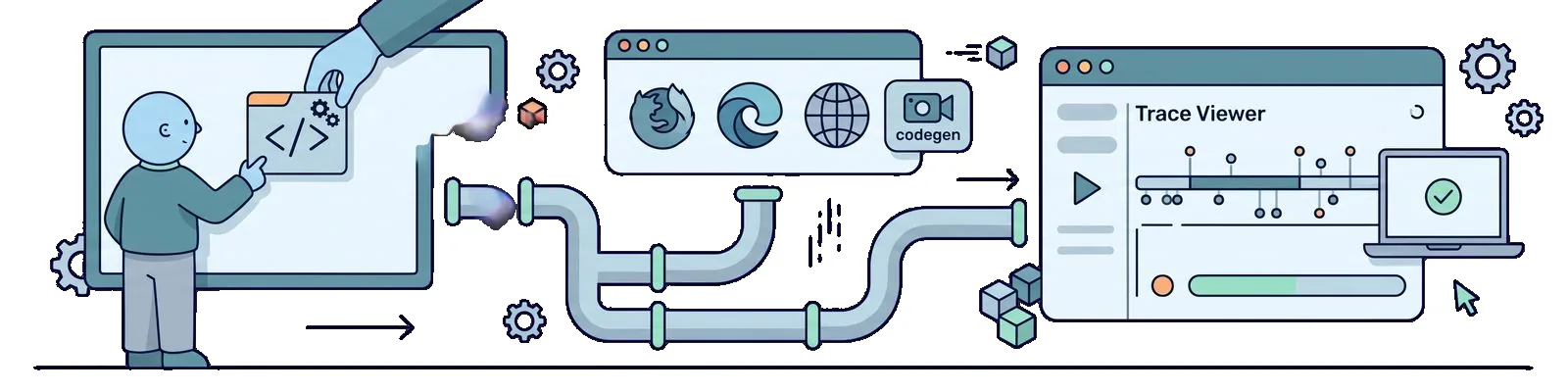
Trace is the main reason I am creating this project at all, so it deserves a paragraph without marketing. Trace Viewer is not new this month. The GUI has been available since 1.12.0 in June last year, together with the timeline and frames made from snapshots of consecutive actions. The online version, where you drop a file, has been available since 1.17.0 at the end of November.
In practice, it works like this. After a red run with a retry, test-results/ contains one directory per test, with a trace.zip inside. I open it locally:
$ npx playwright show-trace test-results/smoke-smoke-an-added-task-appears-on-the-list-chromium/trace.zipOr, if the file came from someone else’s run, I upload it to trace.playwright.dev. It is a PWA that processes the file locally in the browser, so I am not sending a recording of someone else’s application to someone else’s server. That distinction matters when a trace contains data from a real environment.
Inside, I get a list of actions, a DOM snapshot before and after each one, the console, network traffic, and a timeline. The most important part is that the DOM snapshot is interactive: I can hover over the element at the moment when the test failed to find it and check whether it was missing, covered, or had a different attribute. No screenshot or log can give me that.
The last point in this section is more about discipline than the tool. Setting trace: 'on' and “letting it record every time” is tempting. With one project and two tests, the cost is invisible. With three browsers and the suite I want to have in six months, it means tens of megabytes per run and makes every green test slower. on-first-retry gives me evidence exactly where I need it: at the first failure.
Three browsers without a loop in the test
The projects section contains the part of the April decision that had previously been the hardest for me to deliver. The same .spec.ts file runs on Chromium, Firefox, and WebKit because the matrix is in the configuration, not the code. There is not a single if on the browser name in the tests and no loop over the engines.
$ npx playwright test --project=webkitThere is one honest point to make about WebKit because it is easy to overinterpret. WebKit on Linux is a build of the engine produced by the Playwright team, not an installed copy of Safari. It will catch differences in the rendering engine and APIs that Chromium will not show, but it is not proof that the application works in Safari on a specific iPhone version. I treat this project as an early warning, not a compatibility certificate. Similarly, devices['Desktop Safari'] is a profile with a viewport size and user agent, not a real device.
The second honest point is the cost. Three projects mean three times as many cases and roughly three times as much time. Ultimately, I do not plan to run everything everywhere: smoke tests will run on all three engines, the rest on Chromium, while Firefox and WebKit will get a full run overnight. For now, with two tests, I am keeping the complete matrix because the difference is a dozen or so seconds, and I want to see from the start whether any engine behaves differently.
If the application under test runs locally in containers, nothing in this config changes except BASE_URL. Playwright does not require Docker, and I am not going to force it into this setup. I start the environment as I did in the post about a test environment with Compose, with one difference: Compose V2 has been GA since last month, and the command is now docker compose, without a hyphen.
What I deliberately leave out
Several things were within reach, and I deliberately did not touch them. I am listing them so that six months from now it will be clear that these were decisions, not oversights.
Component testing. The same 1.22.0 release brings the @playwright/experimental-ct-react packages and their Vue and Svelte counterparts. This is a preview explicitly marked as experimental, and I do not want to build anything on it that is supposed to survive several versions. When it matures, it will be a separate topic.
Visual regression. The May 12 release added a web-first assertion for screenshots, and that one sentence is everything I will write about it today. Comparing images is a conversation about tolerance thresholds, differences between machines, and who approves new baselines, so I am leaving it for a separate post.
Pipeline. This post ends with npx playwright test on my laptop. I am deliberately leaving YAML for later because I first want a suite worth running. When the time comes, my starting point will be npx playwright install --with-deps on the agent and lessons from running Cypress in CI, not copying someone else’s workflow.
Test architecture. There are no page objects, custom fixtures, data layer, or login strategy here. Two tests do not justify any of those things, and I have already settled the choice between page objects and app actions in the context of Cypress, so I know it is a conversation for an entire post.
Removing Cypress. Nothing is going away. Cypress 9.6.1 remains alongside Playwright and will stay there until Playwright covers what the existing suite actually checks. A migration that starts by deleting the old tests is not a migration.
Summary
After a week with an empty project, I have three conclusions, and none of them is that Playwright is better than anything else.
- I pin the version from the first commit.
@playwright/testversion1.22.0brings specific builds of Chromium, Firefox, and WebKit with it, so a caret inpackage.jsonmeans silently changing browsers in the middle of a sprint. - The weight of configuration moves from the test into the config, and that is the biggest change in habit compared with how I set up an environment for Cypress. Parallelism, retries, artifacts, and the browser matrix are four fields in one file, while the test remains short.
- A trace is worth more than the number of engines. Three browsers give me broader coverage, but the ability to open a recording of a failed run determines whether I turn a red result into a fix or a rerun.
What I do not know after this week is whether I can enable fullyParallel without rewriting my test data and how much of the existing Cypress suite is even worth moving instead of rewriting or deleting. The second question is older than the choice of tool and returns whenever I think about the entire testing process rather than a single framework. The tool changed in May. The question of what is worth checking stayed the same.