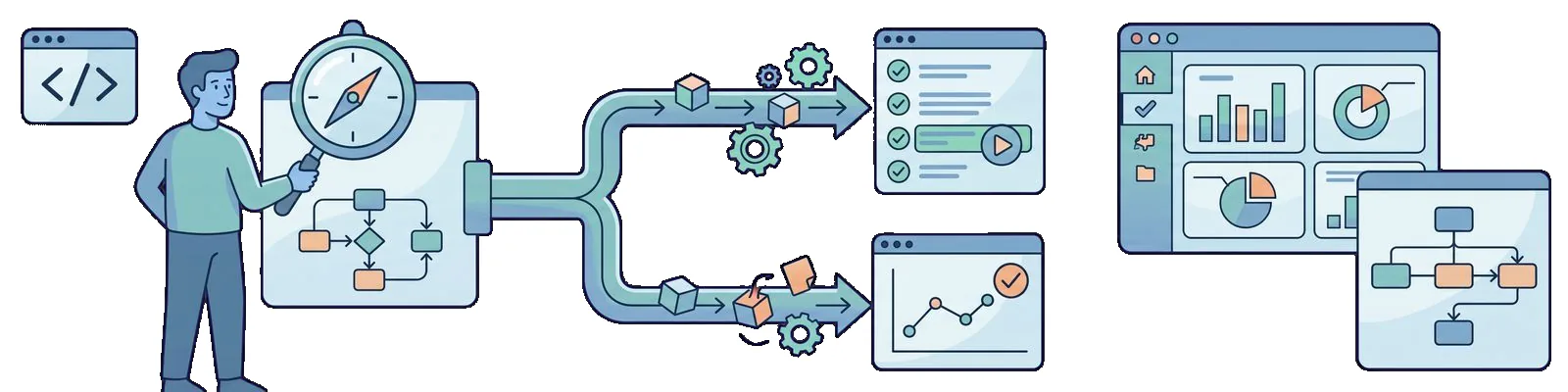
This is not Playwright’s launch
I will start with a statement that needs to come first, because it usually comes up the other way around in conversations: Playwright is not new. The first tagged release, v0.10.0, is from February 1, 2020, and 1.0.0 from May 6, 2020. The tool is two years old, has had twenty-one minor releases since 1.0, and is long past the stage when its API changed every month.
The only new thing is my decision. I started the Cypress series with setting up the environment and the first tests in the fall of 2019, and finished with an Azure DevOps pipeline and reporting test results in the spring of 2020. I spent all of 2021 on .NET, containers, and CI, so the word “Playwright” did not appear once in my year in review. Now I am returning to browser testing, and the question is specific: do I add more specs to Cypress, or set up a second project with @playwright/test alongside it?
The versions behind this post are fresh from the past week. Cypress 9.5.4 came out on April 11, and playwright and @playwright/test 1.21.0 followed a day later, on April 12. I am using Node 16 LTS. The demo application is the same public RealWorld Conduit used throughout the Cypress series, so I am comparing two runners against the same login scenarios, not against two different systems. I still start it with docker-compose, because Compose V2 is expected to reach GA later this month, and only then will the hyphen disappear from the command.
One boundary for this post right away: this is a list of reasons, not a report from a completed migration. I do not have a rewritten suite, I do not have a “percentage complete,” and I am not going to invent one. I have decided to write new browser tests in Playwright from now on, while the old tests stay where they are.
What I still like about Cypress
Before listing the reasons for the change, I will list the reasons why I chose Cypress two and a half years ago, and why I still defend it when someone calls it outdated.
The Test Runner with time-travel still provides the best local debugging experience I have seen in web testing. I click a step in the list on the left, and on the right I see the DOM state from that second. I do not replay the scenario; I inspect it at the point where it failed.
The error messages are written for people. In the post about CI, I included output in which Cypress explicitly said that it could not see the server at baseUrl and would try three more times. I did not have to guess whether the problem was in the test, the application, or the agent.
I still consider the custom commands from the App Actions vs Page Object Model refactoring a good idea, not a workaround for a lack of structure. cy.login() and cy.createNewUserAPI() are readable in a test and inexpensive to maintain, as long as someone makes sure that commands.js does not become a dumping ground.
Automatic waiting for elements also remains a benefit. Cypress retries the element query and assertion until the timeout, which means cy.get() without an explicit wait usually just works. In 2019, that was a different class of experience from Selenium, where Thread.Sleep sprouted through the code like weeds.
None of this disappears, and I am not deleting any of it from the blog. Cypress 9.5.4 stays in the repository for tests that already work, and the series from /en/cypress-0/ to /en/cypress-9/ remains what it was. I am changing tools for new work, not announcing a funeral.
Three engines, one API
The first reason is the most measurable. Playwright 1.21.0 brings three engines with it: Chromium 101, Firefox 98.0.2, and WebKit 15.4. These are not browsers installed on my system, but builds downloaded by npx playwright install, so I have exactly the same versions on my laptop and on the CI agent.
$ npx playwright install --with-deps
$ npx playwright test --project=webkit
WebKit is the key here. In the post about cross-browser testing, I was pleased about Firefox and Edge, which Cypress delivered in version 4.0.1 in February 2020. I was right to be pleased, but the list has looked similar ever since: the Chromium engine in several variants, plus Firefox. Safari is not on my desk and never will be, because I work on Linux, while iPhone users exist regardless of my hardware. Playwright gives me the WebKit engine on Linux, and that is something I cannot buy in Cypress 9.5.4 at any price.
The second difference is how the browsers are installed. In February 2020, I had to install Firefox and Edge locally, and the Test Runner could freeze in the process, which I wrote about quite candidly at the time. Here, the browsers are a project dependency and are versioned together with the package. When CI produces a green build but a test fails locally, I can rule out the browser version as a suspect.
I am not overstating this argument. In practice, I catch most defects in Chromium, while WebKit adds a handful of rendering and date API differences. The point is that deciding “whether we test Safari at all” stops being a hardware purchasing decision and becomes a single line in the configuration.
Runner: @playwright/test, not Jest or Mocha
The second reason is less spectacular and more important. Cypress has Mocha permanently built in. That is convenient at the beginning, but the runner is part of the tool and is not negotiable: I get the file organization, hooks, and parallelism that someone designed.
For a long time, Playwright had the same problem from the other side. During the first year, the standard route was to integrate the library with Jest, using separate packages and configuration that you had to assemble yourself. That recipe still circulates online, and I do not recommend it as a starting point in 2022. Since 1.12.0, released in June 2021, there has been an official @playwright/test runner, and in April 2022 it is the default route, not an experiment.
The entire configuration fits in one file:
import { PlaywrightTestConfig, devices } from "@playwright/test"

const config: PlaywrightTestConfig = {
  testDir: "./tests",
  timeout: 30_000,
  retries: process.env.CI ? 1 : 0,
  workers: process.env.CI ? 4 : undefined,
  use: {
    baseURL: process.env.BASE_URL ?? "http://localhost:4100",
    trace: "on-first-retry",
    screenshot: "only-on-failure",
  },
  projects: [
    { name: "chromium", use: { ...devices["Desktop Chrome"] } },
    { name: "firefox", use: { ...devices["Desktop Firefox"] } },
    { name: "webkit", use: { ...devices["Desktop Safari"] } },
  ],
}

export default config
Two things interest me here. projects runs the same set of tests in several variants, so cross-browser testing does not require three pipelines or copied files. workers provides parallelism in a single process, on a single machine, without an additional service.
The second point is where the comparison becomes uncomfortable for Cypress. Locally and on a single agent, Playwright simply distributes test files among worker processes. In Cypress, parallelism in CI goes through the --record flag and the Dashboard, which means a service with a key, a free recording limit, and paid plans above it. This is a sensible business model and I have nothing against it, but when I compare the cost of speeding up a run, one side has a configuration entry and the other has a budget discussion.
I described the levels of parallelism in October, using .NET and NUnit, and that division into framework threads, processes on a machine, and pipeline jobs applies here as well. The only difference is that I get the middle layer in the package.
The runner also provides fixtures, a mechanism for injecting context into a test through function arguments. The basic page is the simplest example:
import { test, expect } from "@playwright/test"

test("successful login", async ({ page }) => {
  await page.goto("/login")
  await page.locator('input[type="email"]').fill("test@test.com")
  await page.locator('input[type="password"]').fill("test")
  await page.locator('button[type="submit"]').click()

  await expect(page).toHaveURL("http://localhost:4100/")
  await expect(page.locator('a[href="/settings"]')).toBeVisible()
})
For comparison, the same scenario from the Cypress series looked like this after I moved login into a custom command:
it("Successfull login", function () {
  cy.createNewUserAPI("test", "test@test.com", "test")
    .visit("http://localhost:4100/login")
    .login("test@test.com", "test")
    .shouldUrlContain("http://localhost:4100/")
})
The code is about the same length and equally readable, so that is not what this contest is about. The difference is what sits underneath: in Cypress, the cy chain is a command queue, while in Playwright it is ordinary async/await in TypeScript. The debugger does not lose track, try/catch works the way I expect, and iterating over test data does not require an explanation of when the loop body will actually run. For someone who writes C# every day, this is a more comfortable mental model than a queue.
One small but useful addition from this week: 1.21.0 adds expect.poll, an assertion that retries any function, not just a locator. It is exactly what was missing for checking API state after an action in the UI.
Context and origin isolation
The third reason concerns what the test sees when it starts. Playwright creates a new BrowserContext for every test, which is a separate profile in the same browser process: empty cookies, empty localStorage, and its own cache. The cost is measured in milliseconds because this is not a new browser process.
The consequence is practical. A test that begins with logging in cannot pass accidentally because the previous test left a session behind. The reverse is also true: logging in through the UI in every test stops being necessary, because the session state can be saved once and supplied to subsequent contexts through storageState. It is the same principle I described when discussing fixture organization in .NET, except that the object here is a browser profile rather than a driver.
The second issue is origin. Cypress runs tests inside the same tab as the application, which results in a hard limitation: one superdomain per test. Anything that moves to another domain, such as logging in through an external identity provider, redirecting to a payment gateway, or clicking a document link on another host, requires a workaround. This usually ends with an API call instead of going through the screen, which is reasonable, but tests something different from what the user does.
The Cypress team is working on this openly, and the repository shows that multi-origin support is intended to reach the tool behind an experimental flag. Version 9.5.4, which I have installed today, simply does not have it, so I cannot put it in the benefits column. I am also not claiming that Cypress will never address this, because it clearly will.
In Playwright, multi-origin is not a feature but the absence of a limitation. page.goto() can navigate to any address, one test can have several tabs and several contexts, and a popup window opened by clicking a login button is an ordinary Page object. Control comes from the Node process through a protocol rather than from inside the page, and that is the source of the entire difference.
Debugging in CI: trace, not just a screenshot
The fourth reason is the one that tipped the balance. Locally, the Cypress GUI wins, and I wrote that above without reservations. The problem is that my most expensive hours are not spent debugging a test on my laptop, but determining why something failed on an agent at three in the morning.
With the setup from the Azure DevOps and reporting posts, I get a video and a screenshot from the point of failure in such a run. That is better than a stack trace alone, but a video is an image, not data. I cannot use it to check which request went to the API, what came back in the response, or what the DOM looked like two steps earlier.
Trace Viewer has existed since 1.12.0 from June 2021, so it is not new this spring either, but only now do I have a reason to look at it seriously. A trace is a ZIP file containing the run timeline: a DOM snapshot before and after every action, screenshots, network traffic, the console, and the test source. Since 1.17.0 from November 2021, it can be opened in a browser at trace.playwright.dev without installing anything, and since the 1.20 line it also shows API requests made by the test.
It is enabled with the single option already included in the configuration above:
use: {
  trace: 'on-first-retry',
}
The on-first-retry setting is deliberate. Recording everything costs time and artifact storage, while I am interested in unstable runs, meaning those that failed and were retried. Those are exactly the runs where reproducing the situation locally is usually impossible.
$ npx playwright show-trace trace.zipThis is the same kind of convenience as time-travel in Cypress, moved from my laptop to the agent. That is the right place for such a tool for me.
There is one topic I am deliberately leaving out of this section: image comparison. I handled visual regression with a plugin in the Cypress series, and it is a separate subject that I will revisit in a separate post. Here, expect().toMatchSnapshot() and page.screenshot() are enough for artifacts, not for building a strategy.
Codegen and Inspector
The fifth reason is less concrete, but still relevant when getting started. npx playwright codegen opens a browser and an Inspector window, and everything I click becomes ready-made test code. Inspector has been part of the tool since 1.9.0 from February 2021, and the command is included in the main package’s CLI, so there is no separate package to find.
$ npx playwright codegen http://localhost:4100/loginThere is also a step-by-step debugging mode that pauses execution before each action and highlights the element:
$ PWDEBUG=1 npx playwright test tests/login.spec.tsWhat is it actually for? Learning the API and producing a quick draft, not creating production tests. Selectors from the recorder look like the ones in my first Cypress posts, such as :nth-child(1) > .form-control, and break after the first layout change. I described the same problem at the end of 2019 when I added data-cy attributes to the application. The recorder does not solve it; it only gets me more quickly to the point where I have to solve it myself.
It is also worth knowing what 1.21 does not yet provide as the default route. Selectors based on accessibility roles are experimental in this version behind the PLAYWRIGHT_EXPERIMENTAL_FEATURES environment variable, and I am not going to base a project convention on them until they leave that mode. For now, I am sticking with test attributes on elements, meaning the same discipline I use in Cypress.
What this post does not promise
Three caveats, so that no one leaves with a conclusion I did not make.
I do not have a completed suite in Playwright. I have read the release notes, installed the package, and written down my reasons. The next step is small and specific: an empty project, configuration, one login test against Conduit, and a check of how many of the promises above survive contact with reality. That will be the next post.
I am not forcibly migrating existing Cypress tests. A suite that works and is green is not technical debt simply because it was created with another tool. Rewriting it without a reason costs time and introduces defects into areas that have caused no late-night wake-ups for two years. Cypress 9.5.4 keeps what it has, while Playwright takes the new areas.
I will not provide a percentage. I see posts along the lines of “we rewrote seventy percent of the suite in two weeks,” and those numbers usually have nothing behind them that can be verified. When I have a result, I will describe exactly what works and what surprised me.
Summary
This is where I arrived after a week of reading and a few hours of clicking:
- I am choosing Playwright
1.21.0for new browser tests, primarily because it gives me three engines through one API, aBrowserContextper test, and traces from the CI agent. - Cypress
9.5.4stays where it already is. The local GUI with time-travel still has no equivalent, and the custom commands from the 2019 refactoring are a good structure in those tests, not debt. - In April 2022,
@playwright/testis the tool’s default runner, and that closes the subject of combining Playwright with Jest. Fixtures,projects, and workers in a single configuration are a separate argument from the browser API itself. - Multi-origin support and session isolation favor Playwright today. This can change and clearly is changing, so I treat it as the state of things today, not a final verdict.
What is not here, and what I am deliberately not changing, is the process. Choosing a runner does not answer which scenarios deserve a browser test at all and which should remain at the API level. That is a separate conversation that I have been having since 2019, and no library can settle it for me. A new tool changes the cost of running a test, not the purpose of what that test checks.