Introduction
Cypress on Azure DevOps covered broad triggers, npm install, cypress verify, and running specs. Playwright drops one moving part: no Cypress plugin to merge env into config - read process.env straight inside playwright.config.ts.
Previous post: Visual regression.
Sample azure-pipelines.yml
trigger:
  paths:
    include:
      - "*"

pool:
  vmImage: ubuntu-latest

steps:
  - task: NodeTool@0
    inputs:
      versionSpec: "20.x"
    displayName: Install Node.js

  - script: npm ci
    displayName: Install dependencies

  - script: npx playwright install --with-deps
    displayName: Install Playwright browsers

  - script: npx playwright test
    displayName: Run Playwright tests
    env:
      BASE_URL: $(BASE_URL)
      API_URL: $(API_URL)
--with-deps pulls the native libraries Chromium/Firefox/WebKit need on clean Ubuntu agents.
Pipeline variables
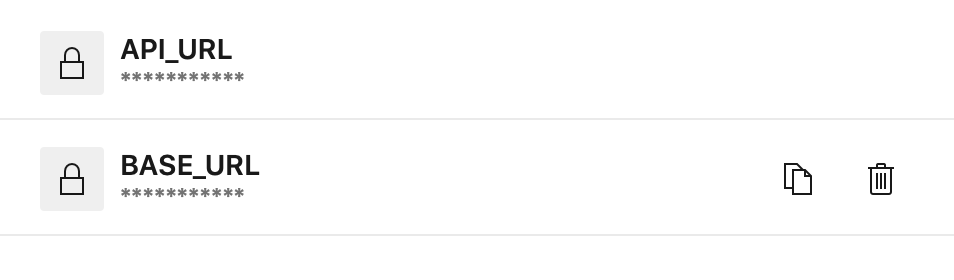
Define BASE_URL and API_URL under Pipelines → Variables so tests target deployed environments instead of loopback.
Config snippet
import { defineConfig } from "@playwright/test"

export default defineConfig({
  use: {
    baseURL: process.env.BASE_URL ?? "http://localhost:4100",
  },
})
HTTP helpers read process.env.API_URL the same way as in the URLs article.
Running the stack on the agent
If you must boot Docker or npm run start, add background steps plus a wait-for-port health check - identical orchestration concern to full-stack Cypress jobs, just different test command.
Reference repo (Cypress track)
https://github.com/12masta/react-redux-realworld-example-app/tree/8-cypress