A second channel, not a second Percy
It is 15 May. In November 2022 I spent a month comparing what I used at the time as my visual gate: the toHaveScreenshot assertion in Playwright core, BackstopJS, Percy, and Applitools Eyes. That article still describes my nightly run, and I am not withdrawing a single conclusion from it. Today I am adding a second channel alongside it, and this entire article is about making sure nobody conflates the two.
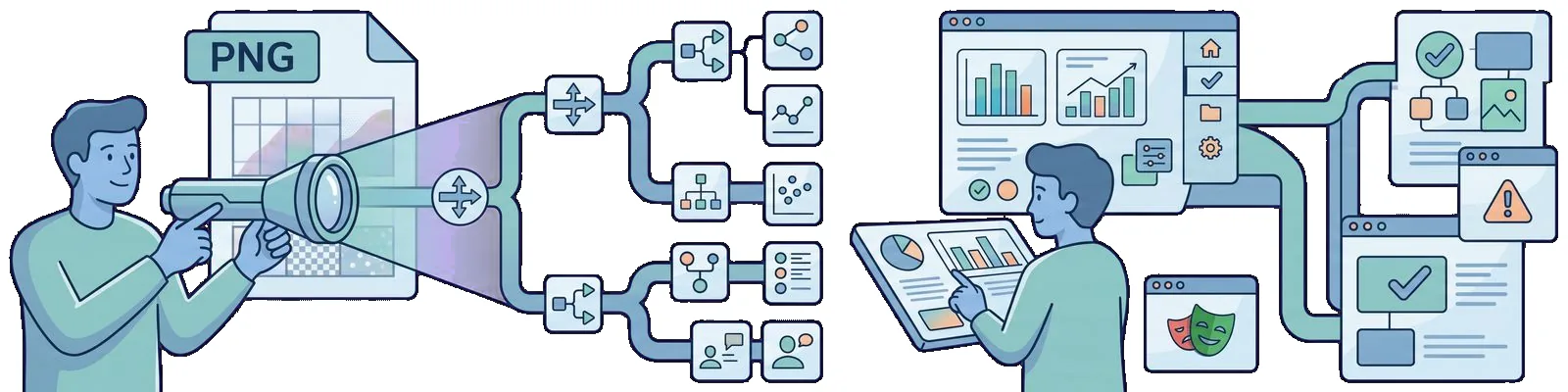
The second channel looks like this. I take a PNG file, send it to a model that can look at images, and get sentences back in Polish. “The button moved to the right.” “A banner with a date appeared above the heading.” This is a description. It is not exit 1.
My thesis for May 2024 is narrow, and I will defend it throughout this article. A vision model can describe a screenshot, and that is genuinely useful. It does not replace the pixel or layout gate from that comparison. In @playwright/test version 1.44.0 from 6 May, the toHaveScreenshot assertion still brings down the build, while the model’s comment remains a review that a person reads and signs off on.
It is worth noting when this channel became feasible at all, because it is not new this week. ChatGPT has been able to see since 25 September 2023. At DevDay on 6 November 2023, OpenAI showed gpt-4-vision-preview in the API, the first route for images that did not require a browser. On 4 March, Anthropic released Claude 3, and models in that family also accept images as input. The gpt-4-turbo alias with vision has circulated since the announcements on 9 April, and I need to be honest here: I did not find a dedicated article on openai.com that would date that general availability, so I have a press report for it and I am not basing any decision on that date. In March 2023, one day after the GPT-4 launch, I gave image input one sentence and declined to write a tutorial about it because it was then a limited alpha with one partner. Fourteen months later, that tutorial is feasible, which is why I am writing it.
Here is the state of the workshop, so that a year from now it will be clear what I am talking about. The runner is 1.44.0. The baselines live in the repository next to the tests, I generate them in the same container image that runs in CI, and I run --update-snapshots deliberately and always with a commit. I use gpt-4-turbo with vision and Claude 3 to describe PNGs, and I have as many runs with them as I could fit into two evenings. On 13 May, two days ago, OpenAI announced GPT-4o as a model that is stronger at visual tasks, and that is the only sentence I will devote to it here because I do not have a single measurement of my own from it.
What will not be here. There will be no statement that uploading a PNG to a chat is visual regression in CI. There will be no rewritten matrix from 2022, because Percy and Eyes did not stop working when a chat with eyes appeared. There will be no official “Playwright compares screenshots with a model” assertion, because no such assertion exists in 1.44.0, and I will show in a moment what actually arrived in that release. There will be one synthetic page from my repository of blog examples, three change variants, and three places where the model wrote something untrue.
What I already have as a gate
I will start with what is already in place, because without it the rest of this article would be a conversation about nothing.
toHaveScreenshot has been in the runner core since 1.22.0 from 12 May 2022, exactly the version on which I set up an empty project. Two years later, the contract of this assertion is the same and fits into four sentences. The runner takes a screenshot, waits, takes another one, and compares them with each other for as long as the page is moving. It then compares the result with a PNG file that lives in the repository next to the test. If the number of different pixels exceeds the threshold I set explicitly, the test is red, and three images go into the report: the baseline, the current state, and the diff. The baseline name includes the project and operating system, for example hero-chromium-linux.png, so the baseline is tied to the platform that produced it.
import { test, expect } from "@playwright/test"

test("hero matches the baseline", async ({ page }) => {
  await page.goto("/")

  await expect(page).toHaveScreenshot("hero.png", {
    maxDiffPixelRatio: 0.01,
  })
})
That is the entire mechanism, and I want to point out one thing that is absent from this listing: there is no room for a sentence. There is a number. With a 1280 by 720 pixel viewport, 0.01 means that I allow up to 9216 different pixels, and that number is a design decision, not the tool’s opinion.
What actually arrived in 1.44.0 is worth listing from the release notes rather than from memory in an article like this. There are three accessibility assertions: toHaveAccessibleName, toHaveAccessibleDescription, and toHaveRole. Overlay handling through page.addLocatorHandler gained the times and noWaitAfter options, along with its counterpart, page.removeLocatorHandler. The command line gained --last-failed. And there is one item from my own area: testProject.ignoreSnapshots, a switch that lets you skip screenshot assertions per project.
I will pause on that last point because it is ironic. The only new feature in this release that touches image comparison at all is an off switch. There is no assertion in 1.44.0 that sends a PNG to a model, there is no toLookCorrect(), and I do not expect such an assertion because it could not satisfy the contract in the paragraph above. The statement “Playwright already has LLM diffing”, which I hear in conversations, refers to something that is not in these release notes.
There is one more line in the 1.44.0 notes that looks like a detail but matters more to baselines than the entire new API. This release comes with Chromium 125.0.6422.14. Every such bump means that baselines can shift without any change in the application, and the mechanism that warns me about it is the suffix in the filename plus one container image for generation and verification. I am writing this down because I will show in a moment that the model has no chance of knowing it.
Now for the contrast without which this article would make no sense. In November 2022 I divided this category into three models, not five packages: a baseline in the repository, a baseline in a service, and a comparison that is not pixel by pixel. The third model is Eyes with its match levels, including one that ignores content and looks at the arrangement of elements. Applitools markets this as “Visual AI”, and that phrase creates the most confusion because there it means a specific, deterministic difference calculation algorithm, run by the service, with a baseline, a threshold, and an approval flow. It does not mean a chat into which I paste an image. The channel I am describing today is a fourth model that I did not mention at all in 2022, and the only one with no baseline, no threshold, and no approval.
The criterion that carried the most weight in that comparison also remains here: the cheapest tool in this category is not the one that is free, but the one in which pushing through a correct change costs the least. In the git model, approval means overwriting the baseline and committing it. In a service, it means clicking in the browser. In a chat, there is no approval because there is nothing to approve: no artifact was created for the next run to reference.
What I do with a model
The demo is synthetic, and I am saying that explicitly before showing any listings. The page was invented for this article and lives in my repository of blog examples: one screen on a twelve-column grid at a width of 1280, a heading, a paragraph, and a button labelled “Order an audit”. There is no screenshot from a client production system in this article, and there will not be one. That is not a formality. A screenshot of an application on which someone else depends for their livelihood is data, not an illustration, and you do not send it to someone else’s API just to make a paragraph in a blog article look better.
The scenario is one I know from real life. The baseline is from Friday. On Monday, I get a red run and have two PNG files and a diff in the report. The question I actually ask when I see such a report is not “are the pixels different”, because I already know that from the colour. It is “what changed there, and did somebody do it deliberately?”
For this, and only this, I send both files to the model. The prompt, translated here, stays narrow because a broad one produces an essay:
Two screenshots of the same screen: baseline and actual.
List what changed in no more than three sentences.
Do not propose a pixel threshold or judge whether the change is desirable.
If you cannot see something in the image, do not add it.
The last three lines are not decoration. Each one came from a specific bad result, and I will return to the last one in the next section.
I treat the output the same way I treated chat-generated lists from my first article about GPT-4: as a draft from which to cross things out, not as a result. One difference from that work is important and worth naming. There, the input was a specification, which meant text that I had written myself and could check line by line. Here, the input is an image in which the model sees something that I am not holding in my head at that same moment, and that is exactly why its errors are harder to catch than an invented test case. Agreeing with the description is easier than verifying it, and that is the worst possible cost ratio in a review.
Sometimes I send only the actual, without the baseline, and I like this variant more than I expected. The question then is “describe what you see on this screen”, and I compare the description with what the ticket says should be there. The model does not know my ticket, so it has no way of knowing what answer I want to hear, and in this setup it sometimes spots something that I was not looking for myself.
What I do not do: I do not wire this into Actions, I do not have a pipeline step for it, and there is no if in the pipeline that checks the model’s answer. I also do not send anything through this channel that I am not allowed to send. The entire channel lives on a synthetic page, and if it were ever to touch a real product, the discussion about sending images outside would be the same discussion that I recorded for Percy as a condition to address before a pilot, not after it.
Where the model lies
I have three variants on the same synthetic page and three different results. I am listing them with numbers, because without numbers this would be a story about impressions.
Variant A: CTA shifted by one grid column. I move the button one column to the right, which is 96 pixels, and add a banner with a date above the heading because that is what a real marketing commit usually looks like: two things at once. toHaveScreenshot does its job, and I shorten the paths in the output:
  1) [chromium] › hero.spec.ts:3:1 › hero matches the baseline

    Error: Screenshot comparison failed:

      18420 pixels (ratio 0.02 of all image pixels) are different.

    Expected: hero.spec.ts-snapshots/hero-chromium-linux.png
    Received: test-results/hero-chromium/hero-actual.png
        Diff: test-results/hero-chromium/hero-diff.png
That is a correct red, and I do not need a model for it. The model received both files and wrote three sentences. Two were useful: there is a new banner with a date above the heading, and the button is no longer in the same column as in the baseline. The third said that “the page layout remained unchanged; the difference concerns the content”. One of the three sentences was untrue, in a variant where the change is visible from the other side of the room.
Variant B: two pixels from the font on the agent. This variant is more interesting because it asks a question that the pixel gate does not resolve for me. I created it deliberately against my own advice from 2022: I generated the baseline on my laptop and verified it in the CI container, exactly as I advised against then. The heading’s line height differs by two pixels, so the entire row with the button moves down by those two pixels and the grid no longer holds. There are 3112 different pixels, or 0.0034 of the total, with my threshold at 0.01. The gate stays silent and has every right to do so because that is how I configured it.
This is not a defect in the tool. It is the same discussion about the threshold that I have been having for two years. The threshold is a number, so it can be changed: for this one screenshot, I moved from maxDiffPixelRatio to maxDiffPixels: 400, and from that point the two pixels are red while I pay for it with more frequent approvals. The model received the same pair and wrote: “the images look the same; I do not see a difference in the layout”. This is where the entire difference between the channels lies. In the first, I had a number to change, and I changed it in one line of configuration. In the second, there was nothing to change because no parameter exists that can make the model care about two pixels.
Variant B also demonstrates the second point I promised above. The model did not know and could not know that one of these files was created on my laptop and the other in a container with Chromium 125, because that information is not in the PNG. The name hero-chromium-linux.png does know. Fonts and antialiasing on the CI agent were a problem in November 2022 and remain one, while no image description changes that.
Variant C: text that is not there. The third result settled the issue for me. The button in both screenshots is labelled “Order an audit”. Asked about the differences, the model wrote a sentence about a “Start now” button. That label does not exist in the baseline, in the current screenshot, or anywhere on this page. This is where the fourth line in my prompt came from, along with the observation that the line reduced the frequency of the phenomenon but did not eliminate it.
The distinction I care about is this. The gate can be wrong about the threshold, and regularly is, because I entered that threshold. It cannot be wrong about what is in the file because it compares bytes. The model can be wrong in both directions at once, and in variant C it was wrong in the second, much worse direction.
| Question | toHaveScreenshot on 1.44.0 |
Vision model |
|---|---|---|
| Is this image different from the baseline | yes, deterministically | does not answer this question |
| How much difference do I allow | a number in the configuration | there is no such parameter |
| What changed, in Polish | nothing, only a diff in the report | this is its strength |
| Which machine rendered it | a suffix in the baseline name | does not know and cannot know |
| Is this in the file | always | sometimes adds something that is not there |
| Can it stop a merge | yes, exit 1 |
no, and I do not want it to |
This table leads to one pipeline decision, and it is the same decision that I made in September 2022 for the entire category. Image comparison sits in my third bucket, on the nightly schedule rather than at the pull request gate, because by nature it depends on the environment. The model’s description is not in any bucket because it is not a test. It is a comment on a report that I read in the morning, and that is exactly where I want it to stay. A gate that nobody reads is not a gate. A gate that sometimes adds a label to a button is something worse than no gate because it looks like information.
When it is worth it at all
After two evenings on this synthetic page, I have one place where this channel genuinely saves me time, and it is narrower than I expected.
It is worth it when the baseline is old and the diff is large. A marketing page after three sprints without baseline updates produces a red run in which the diff lights up half the screen and does not tell me which of those lights is the designer’s intention and which is an accident. Three sentences of description are then a better opening for a conversation than opening two PNGs in two tabs, provided that I read them as a hypothesis and the red run still sits beside them and remains the thing that forces a decision.
It is not worth it in a nightly run across two hundred views. The reason is not ideological. A nightly run should be cheap to read and unambiguous about the outcome, while two hundred three-sentence descriptions mean two hundred new things to read and no new verdicts. The nightly stays with toHaveScreenshot, and for someone who has Percy or Eyes, it stays with Percy and Eyes under the conditions from November 2022.
It is also not worth it as a layer in the pyramid, and I am writing that sentence explicitly because I hear the opposite. In September 2023 I laid out three questions that get mixed together in conversations about “UI tests”: a component test asks whether a component behaves correctly in isolation, E2E asks whether a journey works when assembled, and a screenshot asks whether the appearance has shifted. A model speeds up writing each of the three and does not change any of the three answers. Describing a PNG is not a fourth question. It is a faster way to read the answer to the third.
For completeness, there are two things I am not pulling into this. Component testing from August 2023 is still a package with the word experimental in its name and mounts a single component rather than visually regressing an entire screen. Mixing these two subjects produces a suite that answers none of the three questions above. The Cypress plugin from March 2020 stays where it was, in its own era. It caught a removed full stop in one sentence at the time, and that is exactly the kind of work where a pixel threshold beats a description in sentences because no three-sentence description will mention a removed full stop.
Finally, there is the condition I have applied to every new tool since the 2023 summary. A tool is in the team rather than in the hype when it has a named job, a place in the process, a row in the pipeline or a deliberate reason why it does not have one, and a person responsible for the result. Describing PNGs with a model has the first one today because the named job is “summarise a large diff on a marketing screen for me”. It has the third in the deliberate-reason variant because it intentionally gets no row in the pipeline. It does not have the second or the fourth. That means it is not a team tool for me, only my private magnifying glass, and that is what I call it when someone asks.
Summary
In the 2022 summary I wrote that the change of that year in this area fit into one sentence: image comparison stopped requiring a separate tool for me because it entered the runner core. The change from May 2024 also fits into one sentence and is smaller than it looks. I gained a way to read a screenshot in Polish. I did not gain a second verdict.
Three sentences I want to be able to read a year from now. toHaveScreenshot has been in the core since 1.22.0 from May 2022; in 1.44.0 from 6 May 2024, the contract of that assertion is unchanged, and the only new feature in that release that touches screenshots at all is testProject.ignoreSnapshots, an off switch. On the same synthetic pair, the gate reported 18420 different pixels and brought down the build, while the model wrote three sentences, one of which said that the layout remained unchanged. In the variant with a two-pixel font difference, I had a number to change in the gate and changed it to maxDiffPixels: 400, while there was nothing to change in the model.
What does not follow from this. It does not follow that this channel has no value, because summarising a large diff in three sentences saves real minutes, and I am keeping it in my workshop. It does not follow that Eyes is a chat. “Visual AI” in that product is a deterministic algorithm with a baseline and a threshold, and I am not changing my opinion of it from 2022. Nor does it follow that things will stay this way, because new models in this category are now released faster than I can test them on my own demo.
This is how I formulate the condition that will tell me the subject has matured. A screenshot description can enter the gate on the day it has a baseline, has a threshold expressed as a number, does not add things to the image that are not there, and leaves an artifact in the report that the next run can reference. This is not a list of requirements for a language model. It is the definition of a gate. Until then, my gate remains the tool from November 2022 plus Playwright 1.44.0, while the model gets the job it is suited to: reading the image aloud to me.